 Authorized
How to compare office copier quotes in the UAE
Two copier quotes rarely compare like with like. Speed class, A3 speed, cost per page, what the service contract covers and the machine's configuration: what to line up before you choose.
Most offices change copiers only every few years, so very few people have done it before. Problems are rarely the new machine itself. They are the things nobody wrote down: a notice period, a scan-to-folder setting, a department's user code. This checklist works whatever brand you are moving from.
The short version: check your contract dates first, plan for the data on the old machine, copy every setting before the old machine leaves, and run both machines side by side for a day if you can.
Most modern copiers have a hard drive or SSD that can hold scanned documents, address books and print jobs. Before the old machine leaves your office:
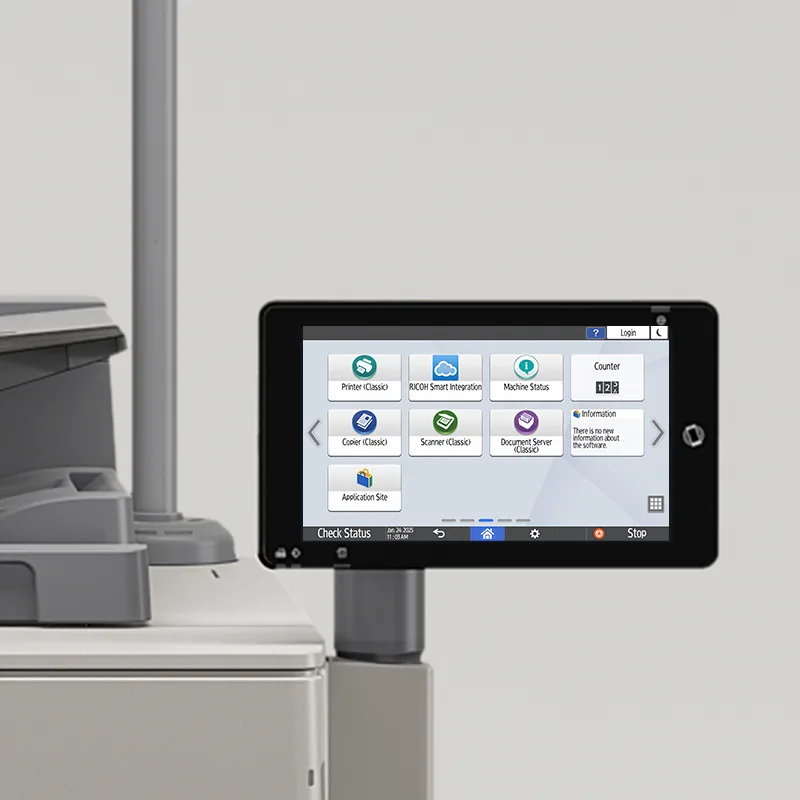
Take photos of the settings screens. It takes ten minutes and saves a day of support calls.
Gtech FZE is an authorized distributor for Ricoh in the UAE. When we replace another manufacturer's machine, our engineers copy your scan, user and fax settings onto the new Ricoh, install drivers, and test with your team before they leave. Machines and genuine consumables are held in our Jebel Ali Free Zone stock. Send us your current meter readings and contract end date and we will build a quote around them.
This checklist is general information, not legal advice. Contract terms and data-protection duties depend on your own agreements and circumstances.
Usually, but check the agreement for an early-termination fee, any minimum-volume commitment and the notice period. Many lease and service contracts renew automatically unless notice is given in writing by a set date.
Ask the outgoing supplier how the drive will be wiped or removed, and get it confirmed in writing. If the machine handled personal data, the UAE Personal Data Protection Law (Federal Decree-Law No. 45 of 2021) or your free zone's data rules may apply.
Yes. Gtech FZE is an authorized Ricoh distributor and can replace other manufacturers' machines with Ricoh, including copying scan, user and fax settings onto the new machine.
We are an authorized Ricoh distributor holding stock at Jebel Ali, supporting installations across the UAE and exporting into the wider region. Tell us your volumes and we will tell you what fits.
Two copier quotes rarely compare like with like. Speed class, A3 speed, cost per page, what the service contract covers and the machine's configuration: what to line up before you choose.
Warranty, genuine consumables, regional specification and service. What buying a Ricoh copier or production printer through an authorized channel gives you in the UAE, and the questions to ask any supplier.
The purchase price is the part of this decision people argue about and the part that matters least. Here is what the three-year number is actually made of, and the questions that change it.