 Authorized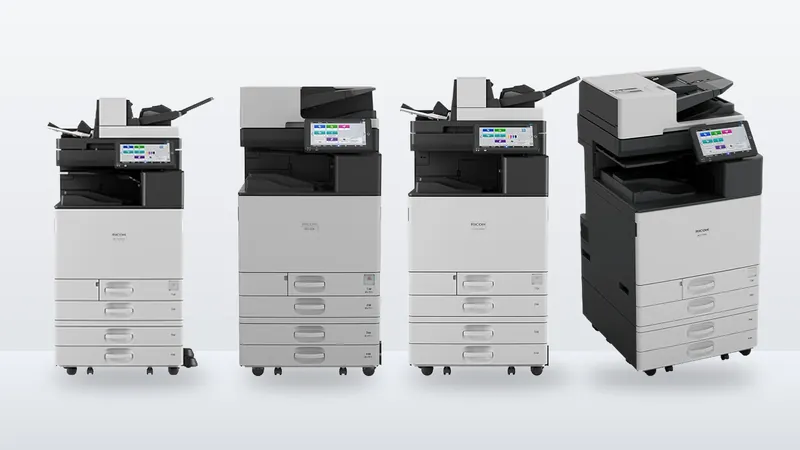
Ricoh IM C3010, C3510, C4510, C6010 and C7010 compared
Speed, first-copy time, paper capacity, toner yield and energy use for Ricoh's A3 colour IM C range, from Ricoh's own spec sheets, and how to tell which model your office needs.
The first decision when buying an office printer is often the size class: a compact A4 multifunction printer (MFP) that sits on a desk or a small stand, or a floor-standing A3 machine of the kind most people still call a copier. The names refer to the largest paper each one prints, but paper size is rarely the only difference. This guide sets out what changes between the two, using one Ricoh model from each class as the example.
The short version: if you never print A3 and print a moderate volume, an A4 MFP is usually enough and costs less to buy. Choose A3 when you need A3 or larger output, heavy paper, high paper capacity, fast batch scanning or finishing such as booklets and stapling.
The Ricoh IM C320F is an A4 colour MFP that prints, copies, scans and faxes. The Ricoh IM C3010 is an A3 colour MFP at a similar print speed. Putting them side by side shows what the size class really changes.
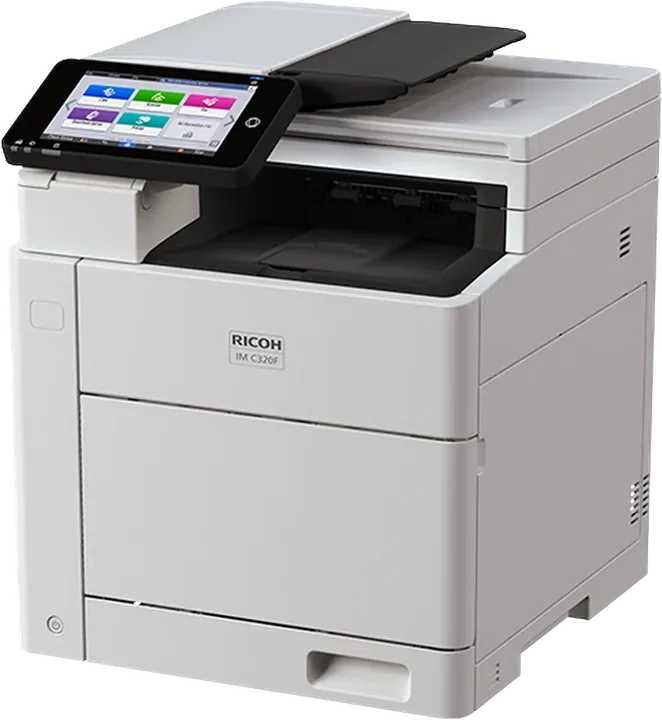
| Ricoh published figure | IM C320F (A4) | IM C3010 (A3) |
|---|---|---|
| Print speed | 32 ppm (16 ppm double-sided) | 30 ppm |
| Largest paper | Up to legal (8.5 × 14 in) from the optional tray and bypass; A4 from the standard tray | A3 and 12 × 18 in; banner sheets up to 1,260 mm long from the bypass |
| Paper weight | 60–200 g/m² | 52–300 g/m² (bypass) |
| Paper input, standard / maximum | 300 / 800 sheets | 1,200 / 4,700 sheets |
| Document feeder | 50 sheets | 220 sheets, single-pass |
| Scan speed | 30 ipm single-sided, 60 ipm double-sided | 150 ipm single-sided, 300 ipm double-sided |
| Finishing | Not listed | Optional finishers with stapling, punching and booklet making |
| Storage | 64 GB eMMC; 256 GB SSD optional | 256 GB SSD |
| Toner yield, black / each colour | 16,000 / 10,000 pages (ISO/IEC 19798) | 31,000 / 19,000 prints (5% coverage, 3 pages per job) |
| Size and weight | 410 × 429 × 483 mm, 29.9 kg | 587 × 701 × 963 mm, 99.3 kg |
At 32 and 30 pages per minute, these two print at nearly the same rate. Choosing A3 does not automatically mean faster printing; it means a bigger, more capable machine around the same print engine speed. Faster A3 models exist (our IM C range comparison runs up to 70 ppm), but speed is a separate decision from size.
The A3 machine takes A3 and 12 × 18 inch sheets, card up to 300 g/m² and long banner sheets from the bypass. The A4 machine stops at legal size and 200 g/m². If you print A3 drawings, posters, spreadsheets or presentation covers, the decision is already made.
The IM C320F holds 300 sheets as standard and 800 at most. The IM C3010 holds 1,200 as standard and up to 4,700 with options. In a busy office the smaller machine needs refilling much more often, and running out of paper mid-job interrupts people more than a slightly slower print does.
Many offices now scan more than they copy. The A3 machine's single-pass feeder scans both sides at once, at up to 300 images per minute, from a 220-sheet stack. The A4 machine scans at 60 images per minute double-sided from a 50-sheet stack. If your team scans invoices and contracts every day, this matters more than print speed. For dedicated high-volume scanning, see our fi scanner guide.
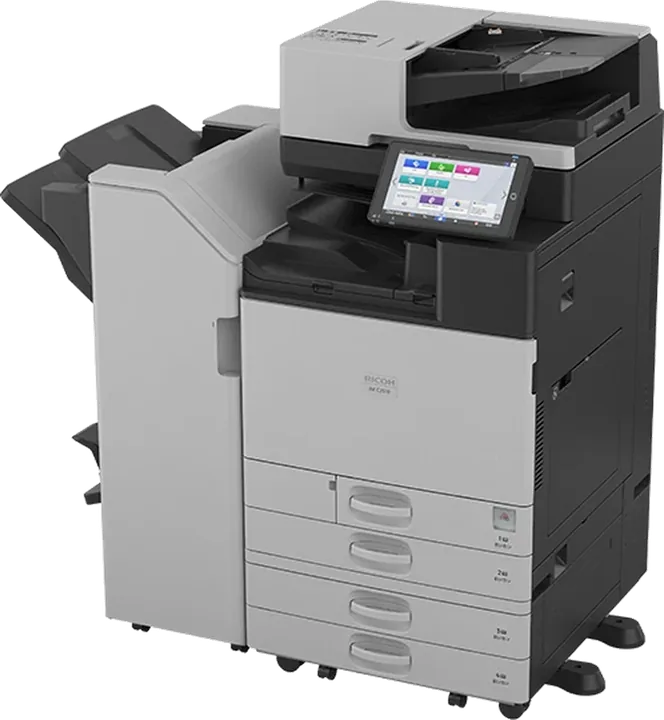
Stapled sets, hole-punched reports and saddle-stitched booklets need a finisher. Ricoh lists several for the IM C3010, including a booklet finisher. If your office produces bound proposals or training packs in-house, A3 is the class to look at.
The A3 machine's toner cartridges last about twice as long on paper, but notice that Ricoh measures the two on different bases: ISO/IEC 19798 for the IM C320F and 5% coverage at three pages per job for the IM C3010. The figures are not directly comparable. Our toner yield guide explains why, and how to work out a fair cost per page.
The A4 model fits on a desk or cabinet; the A3 model needs floor space and weighs about 100 kg. Measure where the machine will go, including room for the paper drawers and finisher to open.
Browse our A4 colour printers and A3 colour copiers, or send us a rough monthly page count and we will suggest a configuration.
Specifications are as published by Ricoh Canada on the spec sheets above, checked on 27 October 2026. Those sheets describe North American models; power supply, standard options and some figures can differ for machines supplied to the Middle East, and Ricoh may change specifications without notice. Confirm the figures for your exact configuration before you buy. Product photos are Ricoh's and may show optional equipment.
The name gives the largest paper size, but A3 machines usually also take heavier paper, hold much more paper, scan faster from a larger feeder and support finishers for stapling and booklets. A4 machines are smaller and cheaper to buy.
Not necessarily. Ricoh rates the A4 IM C320F at 32 ppm and the A3 IM C3010 at 30 ppm. Speed and paper size are separate choices.
No. An A4 MFP such as the Ricoh IM C320F prints up to legal size. If you need A3 output, you need an A3 machine.
It depends on your volume and the toner prices you are quoted. Compare the cost per page using yields measured on the same basis; Ricoh publishes some yields under ISO/IEC 19798 and others at 5% coverage, and those are not directly comparable.
We are an authorized Ricoh distributor holding stock at Jebel Ali, supporting installations across the UAE and exporting into the wider region. Tell us your volumes and we will tell you what fits.
Speed, first-copy time, paper capacity, toner yield and energy use for Ricoh's A3 colour IM C range, from Ricoh's own spec sheets, and how to tell which model your office needs.
Two copier quotes rarely compare like with like. Speed class, A3 speed, cost per page, what the service contract covers and the machine's configuration: what to line up before you choose.
What "16,000 pages" on a toner cartridge actually means, why yields measured under ISO/IEC 19798 and at 5% coverage cannot be compared directly, and a simple way to estimate cost per page for your own printing.