Choosing a Ricoh fi document scanner: workgroup, departmental or production
5 min read
A dedicated document scanner is the machine that turns boxes of invoices, contracts, patient files or HR records into searchable files. A multifunction printer can scan too, but a scanner built for the job handles mixed paper, thick stacks and long days better. Ricoh's fi series covers everything from a desk in a small office to a scanning bureau running all day. This guide explains how the range is organised and what to ask before you choose.
The short version: start from how many sheets you will scan on a typical day, then check the feeder size, whether you need a flatbed for books and fragile originals, and how the files will reach your document system. Ricoh publishes an expected daily volume for every fi model, and that is the best single number to size against.
Fujitsu fi or Ricoh fi? The same scanners
If you have used "Fujitsu fi" scanners, these are the same product line. The scanners are made by PFU, which joined the Ricoh Group in 2022. PFU announced on 24 January 2023 that its fi, SP and ScanSnap scanners would move from the Fujitsu brand to the Ricoh brand, began selling them as Ricoh in April 2023, and planned to complete the change by the end of August 2023. If your organisation's tender or IT standard still says "Fujitsu fi", the current models carry the Ricoh name.
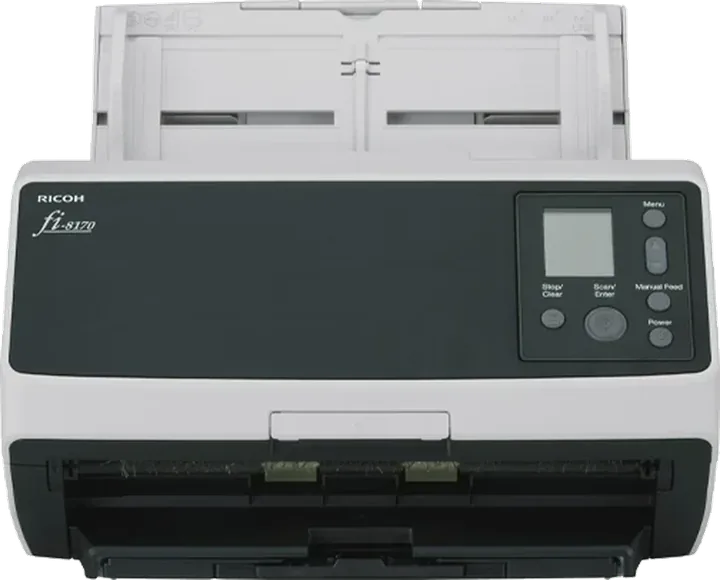
Ricoh fi-8170: a workgroup scanner that Ricoh rates at 70 ppm with a 100-sheet feeder and an expected daily volume of 10,000 sheets.
The five questions that decide the model
1. How many sheets a day?
Count a normal day, not the backlog. A clinic reception scanning ID cards and referral letters needs a very different machine from a records department digitising archive boxes. Ricoh groups the fi range into workgroup, departmental and production models, and each has a published expected daily volume. Choose a model whose figure sits comfortably above your normal day, so a busy week does not become a queue.
2. How big is the stack you load?
The feeder (ADF) capacity decides how often someone has to stop and reload. It ranges from 20 sheets on the compact fi-800R to 750 sheets on the fi-8930 and fi-8950. For batch work, a bigger feeder saves more time than a few extra pages per minute.
3. Do you need a flatbed?
Bound books, passports, thick or damaged originals and stapled documents cannot go through a feeder. Several fi models have a flatbed built in (the fi-8250, fi-8270, fi-8290, fi-7700 and fi-7700S), and the fi-70F is a small flatbed on its own. If you scan these items often, choose a flatbed model instead of planning to use the office copier for them.
4. What paper are you scanning?
Mixed batches (receipts, thin carbon copies, card stock, folded forms) are where document scanners earn their keep over a copier. Bring samples of your hardest documents and test them before you buy. Real samples show more than any brochure figure.
5. Where do the files go?
Decide early whether scans go to a shared folder, an email address, a cloud service or a document management system, and whether the scanner connects by USB to one PC or sits on the network. The fi-7300NX, for example, is the model Ricoh lists with cloud connection. The workflow decides the model as much as the speed does.
The fi range at a glance
Figures below are as published on Ricoh's global fi-series page. Speeds are pages per minute single-sided and images per minute double-sided.
The compact fi-70F flatbed is not in the table because Ricoh rates it per page (1.3 seconds per page at 200 dpi in colour) rather than in pages per minute. It suits reception desks scanning ID cards and passports.
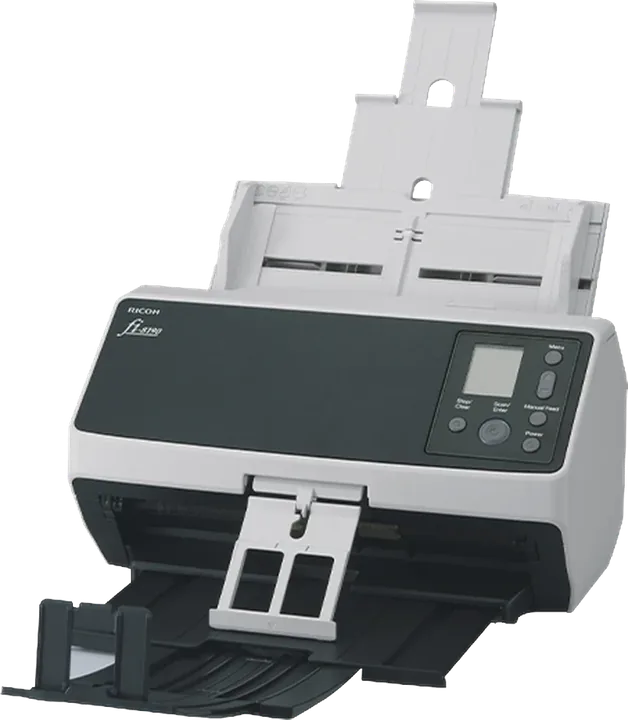
Ricoh fi-8190: a departmental model rated at 90 ppm with a 100-sheet feeder. The fi-8290 is the same speed with a flatbed added.
Reading the table
Speed is not volume. The fi-8190 is faster than the fi-7480, but Ricoh gives the fi-7480 the higher expected daily volume. If your scanner will run most of the day, size it on daily volume first.
Flatbed versions cost more and take more desk space. Choose one only if you scan items a feeder cannot take.
Production models suit scanning bureaus and back offices that scan in large batches every day. For a few hundred pages a day, a workgroup model is the right size.
Scanner or multifunction printer?
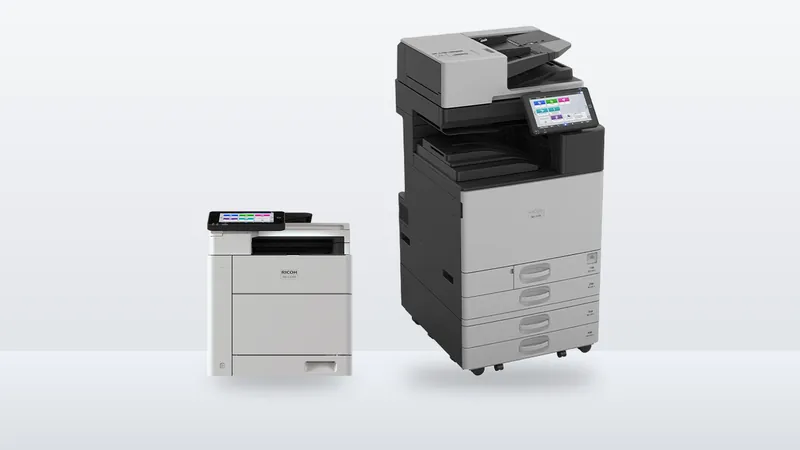
An office MFP scans quickly and is often enough for occasional scanning. A dedicated scanner is the better choice when scanning is a daily task, when documents are mixed or delicate, or when the scanning station needs to be at a desk away from the printer. Many offices use both: the MFP for everyday copies and scans, and an fi scanner where the paper actually arrives. Our A3 versus A4 MFP guide covers the MFP side.
Sources
Ricoh (PFU), fi Series image scanners (speed, feeder capacity, expected daily volume and category for each model)
Specifications are as published by Ricoh on the pages above, checked on 27 October 2026. Ricoh may change specifications or the models it offers without notice, and availability in the UAE can differ by model, so confirm the figures and availability for your exact model before you buy. Fujitsu is a trademark of its owner and is mentioned only to describe the history of the product line.
Questions
Frequently asked
Are Ricoh fi scanners the same as Fujitsu fi scanners?
Yes. The fi series is made by PFU, which joined the Ricoh Group in 2022. PFU moved its scanners from the Fujitsu brand to the Ricoh brand from April 2023.
Which Ricoh fi scanner is right for a small office?
For a few hundred to a few thousand pages a day, a workgroup model such as the fi-8040, fi-8150 or fi-8170 is the usual choice. Ricoh rates them at 6,000, 8,000 and 10,000 sheets of expected daily volume respectively.
Which fi scanners have a flatbed?
Ricoh lists the fi-8250, fi-8270, fi-8290, fi-7700 and fi-7700S as flatbed-equipped, and the fi-70F is a compact flatbed scanner.
What is the fastest Ricoh fi scanner?
Ricoh rates the fi-8950 at 150 ppm and 300 ipm, with a 750-sheet feeder and an expected daily volume of 130,000 sheets.
Talk to us
Want this applied to your own setup?
We supply document scanners from Jebel Ali to businesses across the UAE and the wider region. Tell us your daily volume and we will tell you what fits.
UAE offices are about to have machine-readable invoices sitting alongside delivery notes in a lever-arch file. That mismatch is the actual problem, and it is not solved by better accounting software.
Paper sizes, monthly volume, paper capacity, finishing, scanning and running cost. What really separates an A4 office printer from an A3 copier, with Ricoh's published figures for the IM C320F and IM C3010.
Scans, print jobs, address books and logs can sit on a multifunction printer's drive. What is stored, the security features to ask for, and what to do before a machine is returned, replaced or sold.