Walk into a newly fitted corporate boardroom or university lecture theatre in Dubai, Riyadh, Nairobi, or Lagos, and one technological shift is unmistakable: the traditional ceiling projector and pull-down fabric screen are gone. Even standard conference room televisions connected to tangled adapters on the table are being retired.
In their place are commercial-grade 4K interactive whiteboards and smart flat panels. By uniting an ultra-high-definition touch display, an embedded computing engine, digital whiteboarding, and enterprise video conferencing into a single wall-mounted unit, these displays have become the operational heart of the modern hybrid workspace.
For organizations operating across the UAE, the wider GCC, and expanding African economies, upgrading to interactive displays is not merely a cosmetic change. It solves real-world environmental, technological, and cross-border logistical challenges that legacy AV equipment cannot handle.
The core advantage: A modern interactive whiteboard is an autonomous collaboration hub. With official Google EDLA (Enterprise Device License Agreement) certification on Android 13 or dedicated Windows OPS modules, teams launch meetings, collaborate on digital canvases, and join Microsoft Teams or Zoom calls in seconds, without needing a personal laptop connected.
1. The ambient light challenge in Dubai and GCC commercial towers
Commercial office towers across Dubai (DIFC, Downtown, Business Bay, JLT), Abu Dhabi, Riyadh, and Doha are celebrated for expansive floor-to-ceiling glass facades and bright, energy-efficient interior lighting. While magnificent for architecture, these sunny, high-lux environments are notorious for washing out traditional lamp and laser projectors.
Dimming overhead lights or drawing shades for every impromptu stand-up meeting interrupts workflow and induces eye fatigue. Furthermore, replacement projector lamps and filter cleanings represent an ongoing maintenance headache in arid, dusty climates.
Current Ricoh interactive flat panels, including the RICOH Interactive Whiteboard A6510 and the RICOH Collaboration Board D5530, deliver 400 to 440 cd/m² of high-uniformity LED brightness paired with chemically etched anti-glare glass. With contrast ratios reaching 5,500:1, financial spreadsheets, engineering schematics, and presentation slides stay crisp and legible from every seat, even in sunlit midday meetings.
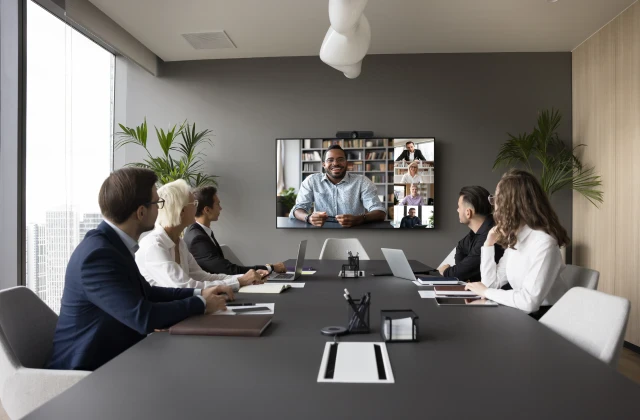
Sunlit executive boardroom deployment: Floor-to-ceiling glass commercial towers across Dubai and GCC capitals demand high-uniformity anti-glare 4K displays to prevent ambient light washout during hybrid video conferences. (Equipment photo: Ricoh Workplace Solutions).
2. Zero bonding vs optical air gaps: why handwriting accuracy matters
First-generation interactive touch screens suffered from a frustrating optical flaw: a noticeable gap between the exterior protective glass and the underlying LCD panel. When drawing with a stylus or finger, this air gap generated "parallax error", where the digital line appeared several millimetres away from the actual pen tip, creating an unnatural, disconnected feeling.
Modern Ricoh interactive whiteboards utilize advanced zero-bonding optical technology, fusing the 8H tempered protective glass directly to the liquid crystal panel:
Natural pen-on-paper response: Digital ink flows precisely from the tip of the passive stylus with 1mm accuracy and zero parallax delay, making handwriting, technical sketching, and fine annotation effortless.
178-degree wide viewing angles: Eliminating internal reflection layers guarantees consistent colour fidelity and contrast for participants seated at the extreme flanks of executive conference tables.
Hermetic environmental seal: Zero-bonding prevents ambient humidity, dust particles, and temperature fluctuations from causing internal fogging, an essential benefit for Middle Eastern and African operating conditions.
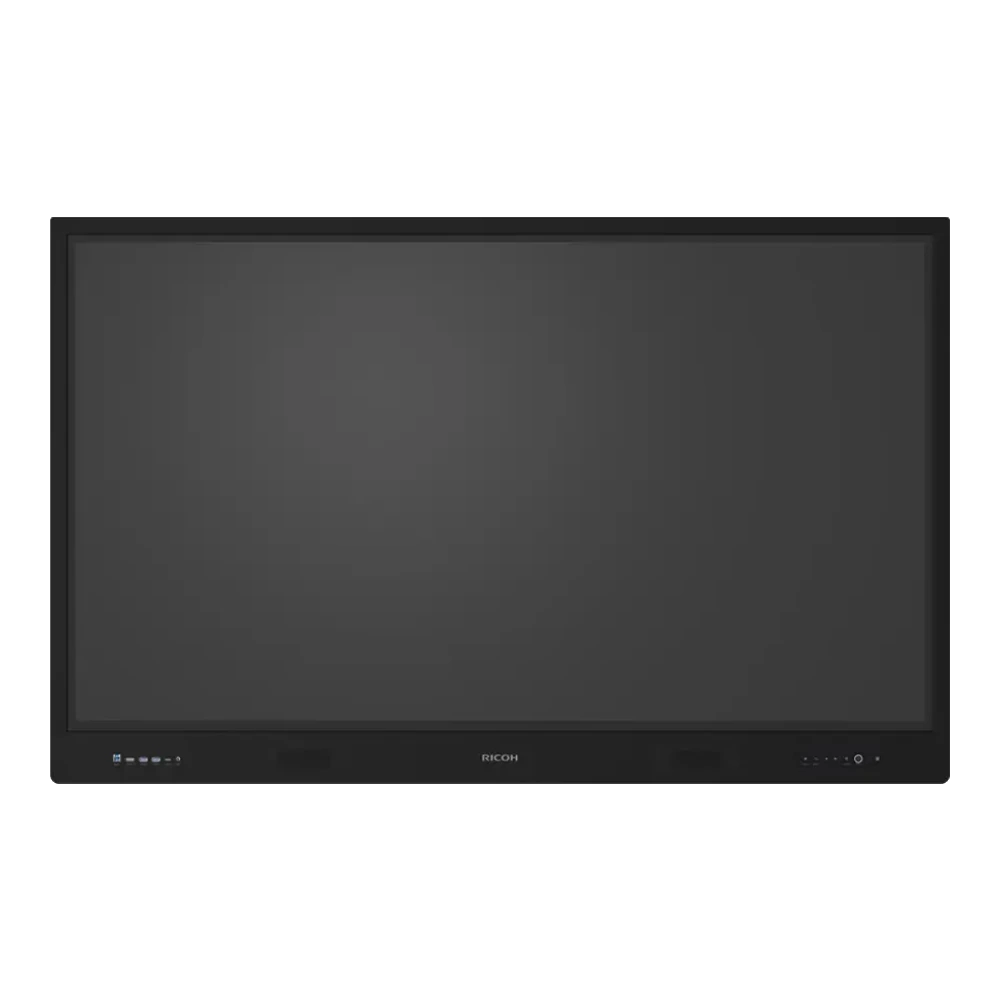
Google EDLA 4K Collaboration: The RICOH Interactive Whiteboard A6510 features 40-point multi-touch, zero-bonding optical precision, front 65W USB-C, and certified Android 13 for laptop-free Microsoft Teams and Zoom meetings.
3. Google EDLA certification: the new corporate standard
In previous years, interactive displays relied on stripped-down or proprietary Android variations. IT departments struggled with side-loading unauthorized APK files, security patches were rare, and enterprise video calling apps frequently crashed or failed authentication.
The arrival of official Google EDLA (Enterprise Device License Agreement) on Android 13, standard across Ricoh's flagship A-Series (A6510, A7510, and A8610), revolutionizes enterprise deployment:
Direct Google Play Store access: Native, official business applications (including Microsoft Teams, Zoom Rooms, Google Meet, Cisco Webex, and Microsoft 365) install directly from the store.
Google Workspace integration: Presenters securely log into Google Drive, Docs, Sheets, and Calendar right from the whiteboard panel.
Google Play Protect & MDM compatibility: Real-time background scanning protects the internal network perimeter from malicious software, while IT teams manage display fleets through existing Mobile Device Management (MDM) platforms.
4. Sizing guide: selecting the ideal display for your space
Specifying the wrong screen size either strains viewers at the back or overwhelms a compact huddle space. Below is the sizing matrix recommended by our technical integration team:
Display Size
Recommended Room Type
Participant Capacity
Optimal Viewing Distance
55 Inch (RICOH D5530)
Huddle rooms, agile project pods, mobile carts, executive private offices
2 to 4 people
1.5 to 3.0 metres
65 Inch (RICOH A6510 / D6520)
Standard conference rooms, creative brainstorming suites, corporate meeting spaces
5 to 8 people
2.5 to 5.0 metres
75 Inch (RICOH A7510 / D7510)
Executive boardrooms, medium conference halls, interactive corporate training rooms
8 to 16 people
3.5 to 7.0 metres
86 Inch (RICOH A8610)
Large corporate boardrooms, town hall auditoriums, university lecture halls
16 to 30+ people
5.0 to 10.0+ metres
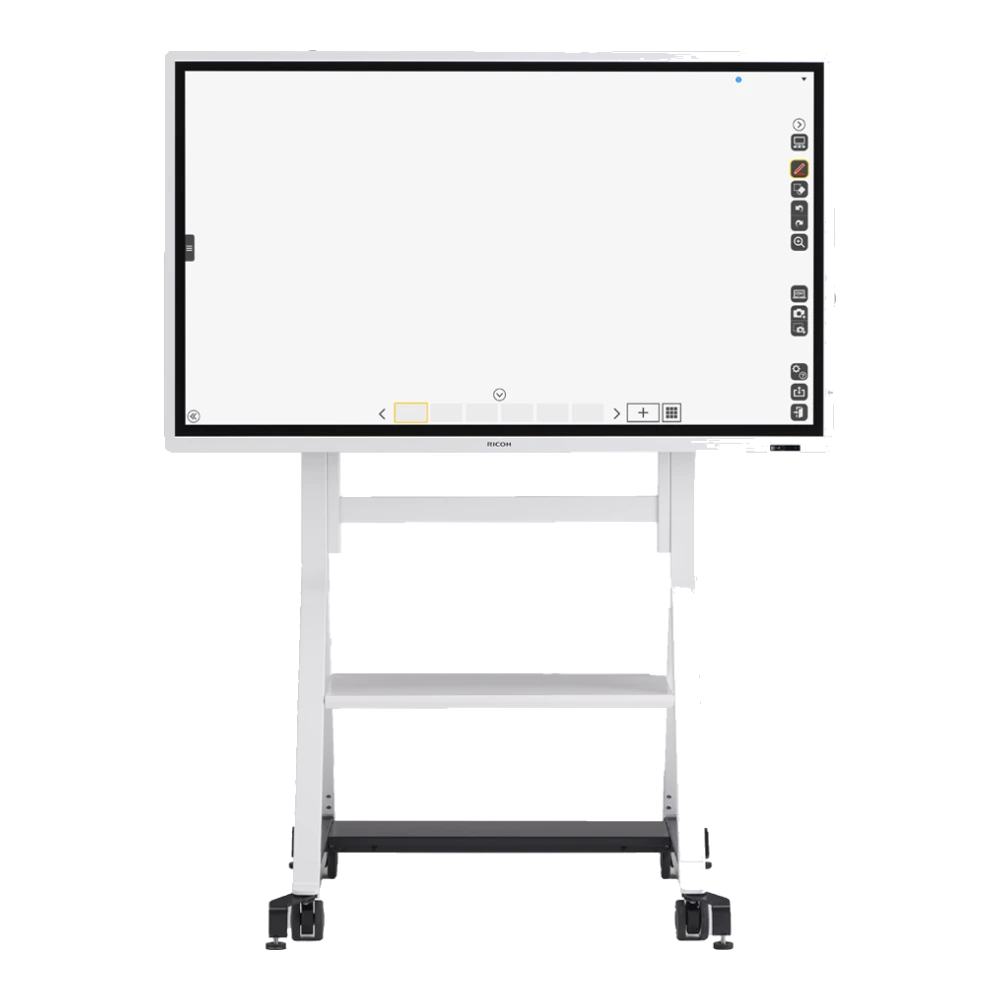
For versatile spaces where room configurations change frequently, the 55-inch RICOH Collaboration Board D5530 uniquely supports both landscape and portrait orientation, making it ideal for mobile scrum carts, vertical architectural schematics, and mobile UX/UI reviews.
Agile dual-orientation display: The RICOH Collaboration Board D5530 (55-inch) supports both portrait and landscape orientation, perfect for mobile scrum carts, vertical architectural plans, and UX design sessions.
5. Sourcing & exporting interactive whiteboards across GCC and Africa
Dubai is the premier trade and procurement gateway for enterprise technology serving the Middle East and Africa. Sourcing interactive whiteboards through an authorized distributor located in the Jebel Ali Free Zone (JAFZA), such as Gtech FZE, provides substantial commercial advantages:
Corporate expansion and educational modernization under Saudi Arabia's Vision 2030, alongside major infrastructure developments across Qatar and Oman, have generated tremendous demand for high-grade interactive displays. Gtech FZE maintains continuous warehouse inventory in JAFZA, facilitating rapid overland road freight and bonded cross-border customs documentation directly to project sites in Riyadh, Jeddah, Dammam, Doha, and Muscat.
Export consolidation to African commercial hubs
African educational institutions, government agencies, and multinational corporations are rapidly adopting interactive flat panels for hybrid learning and cross-border executive meetings. Key destination markets include:
East Africa: Kenya (Nairobi), Tanzania (Dar es Salaam), Uganda (Kampala), Rwanda (Kigali), and Ethiopia (Addis Ababa).
West & Central Africa: Nigeria (Lagos, Abuja), Ghana (Accra), Côte d'Ivoire (Abidjan), and Senegal (Dakar).
Exporting from JAFZA enables duty-free transit consolidation, authentic manufacturer documentation (Certificate of Origin), and optimized logistics routing: fast air freight (2 to 5 business days to African capitals) for urgent pilot deployments or full container sea freight via Jebel Ali Port for institutional rollouts.
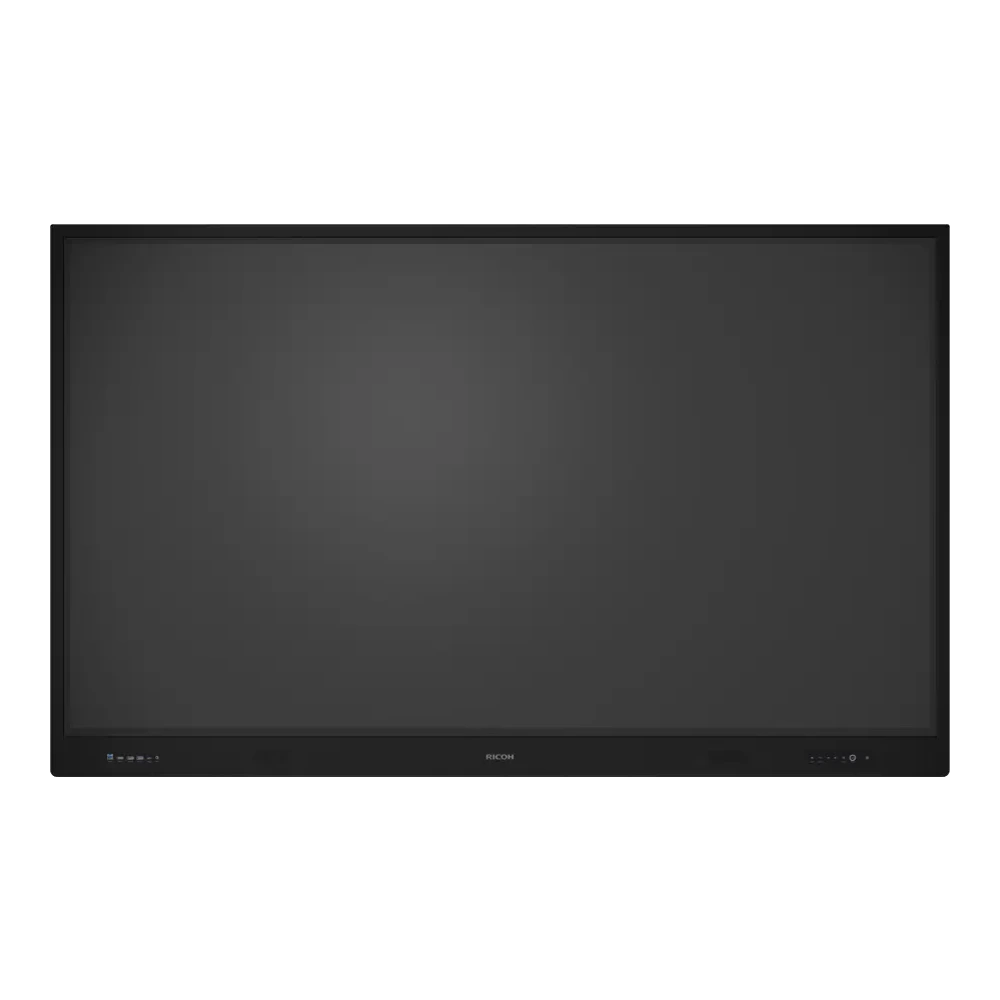
Flagship 86-inch 4K canvas: The RICOH Interactive Whiteboard A8610 delivers expansive visual impact for executive boardrooms, municipal council chambers, and university auditoriums, exported tax-free across the GCC and Africa from JAFZA.
6. Connectivity, security, and post-meeting automation
When comparing interactive displays, look closely at physical connectivity and software governance:
Full-function front USB-C with 65W charging: A single cable connection charges the visiting presenter's laptop, streams 4K video, transmits high-definition audio, and routes 40-point touch back to their machine without separate HDMI or USB cables.
OPS (Open Pluggable Specification) expansion: An integrated rear slot accommodates an optional Windows 11 enterprise PC module, enabling native desktop applications like AutoCAD, Revit, and proprietary ERPs without cables.
Enterprise data protection: Once a meeting concludes, Ricoh displays automatically wipe temporary cache files and user credentials, ensuring confidential financial plans or acquisition discussions are never exposed to subsequent attendees. Meeting notes, drawings, and annotated slide decks can be saved directly as encrypted PDFs and emailed or uploaded to secure cloud storage (OneDrive, SharePoint, Google Drive).
Whether fitting out a high-tech corporate boardroom in Dubai, outfitting a university campus in Abu Dhabi, or coordinating a container export of interactive smart boards to Kenya, Nigeria, or Saudi Arabia, Gtech FZE provides authentic Ricoh hardware, competitive wholesale pricing, and comprehensive technical guidance. Explore our complete range of Ricoh Interactive Whiteboards & Touch Displays or speak to our AV specialists in Jebel Ali today.
Questions
Frequently asked
What is the price of an interactive whiteboard in Dubai and the UAE?
The investment in a commercial-grade 4K interactive whiteboard in Dubai typically depends on four key factors: display diagonal (55", 65", 75", or 86"), touch technology (zero-bonding optical touch vs traditional IR frames), operating architecture (official Google EDLA certified Android 13 vs standard screens), and modular compute hardware (such as an embedded Windows 11 OPS PC). Because commercial displays operate under daily corporate duty cycles and include enterprise security auto-wipe features, their total cost of ownership is far lower than consumer television screens wired to external dongles. For project quotes and volume pricing across the UAE and export markets, contact Gtech FZE directly.
Can interactive whiteboards be exported from Dubai to African countries like Kenya, Nigeria, and Ghana?
Yes. Operating from the Jebel Ali Free Zone (JAFZA) in Dubai, Gtech FZE regularly consolidates and exports interactive whiteboards, touch screens, and AV collaboration hardware across Africa. High-demand markets include East Africa (Kenya, Tanzania, Uganda, Rwanda, Ethiopia) and West Africa (Nigeria, Ghana, Senegal, Côte d'Ivoire). Shipments benefit from tax-free free zone customs processing, professional reinforced palletising for fragile optical glass, and flexible delivery options via air freight (2 to 5 business days to major capitals) or ocean container freight via Jebel Ali Port.
What is the advantage of Google EDLA certification on an interactive whiteboard?
Google EDLA (Enterprise Device License Agreement) certification on Android 13 provides official access to the Google Play Store, Google Workspace apps (Drive, Docs, Sheets, Meet, Calendar), and Google Play Protect real-time malware defense. Unlike uncertified displays that require side-loading vulnerable third-party APKs, EDLA-certified boards allow IT administrators to enroll devices in enterprise Mobile Device Management (MDM) platforms, push automated security patches, and allow presenters to sign in safely with corporate Google or Microsoft credentials.
Which screen size is recommended for our conference room or classroom?
Screen size should be determined by viewing distance and participant count: 55-inch boards (such as the RICOH D5530) are ideal for huddle rooms and small agile pods of 2 to 4 people; 65-inch boards (such as the RICOH A6510 or D6520) serve standard meeting rooms of 5 to 8 people; 75-inch boards (such as the RICOH A7510 or D7510) are built for executive boardrooms of 8 to 16 people; and 86-inch boards (such as the RICOH A8610) provide maximum readability for large conference rooms, university lecture halls, and town hall spaces of 16 to 30+ participants.
Do Ricoh interactive whiteboards run Microsoft Teams and Zoom natively?
Yes. Ricoh interactive whiteboards support video conferencing in multiple ways. With Google EDLA Android 13, you can run Microsoft Teams Rooms, Zoom Rooms, or Google Meet natively directly from the display without connecting an external PC. Alternatively, installing a Windows OPS module into the dedicated rear slot transforms the display into a full-fledged Windows 11 PC capable of running enterprise video collaboration, CAD schematics, and specialized corporate software with zero external cabling.
How does single-cable USB-C connectivity simplify meeting room setup?
Modern Ricoh interactive whiteboards feature a front-accessible USB-C port with 65W Power Delivery. When a presenter connects their laptop using one USB-C cable, the display simultaneously charges the laptop battery, transmits 4K 60Hz video and audio, and returns 40-point touch and stylus input back to the laptop without requiring separate HDMI, USB-B touch, and power charging cables.
Talk to us
Want this applied to your own setup?
We are an authorized Ricoh distributor holding stock at Jebel Ali, supporting installations across the UAE and exporting into the wider region. Tell us your volumes and we will tell you what fits.
The purchase price is the part of this decision people argue about and the part that matters least. Here is what the three-year number is actually made of, and the questions that change it.
When an organization’s monthly external print invoices cross AED 15,000, outsourcing ceases to be a convenience and becomes an operational margin leak. Here is how UAE enterprises calculate the ROI of an in-house digital press.
Where to put the machine, how to store paper and toner in a UAE office, and the problems heat and humidity cause, using the storage figures in Ricoh's own user guide.
 Authorized