 Authorized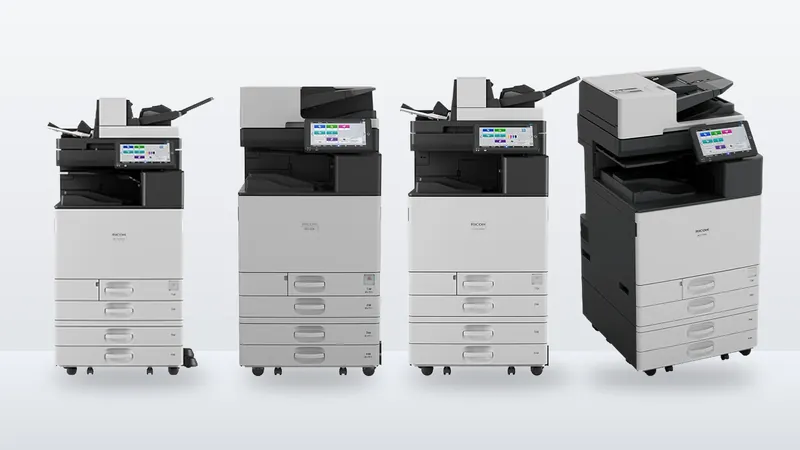
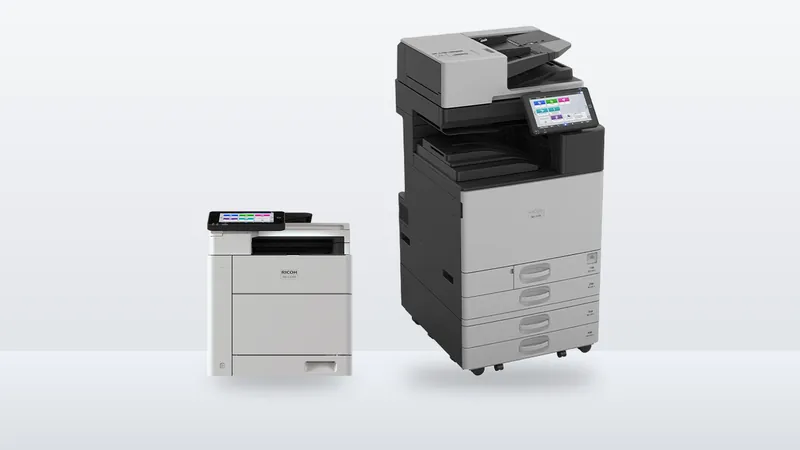
Ricoh IM C3010, C3510, C4510, C6010 and C7010 compared
Speed, first-copy time, paper capacity, toner yield and energy use for Ricoh's A3 colour IM C range, from Ricoh's own spec sheets, and how to tell which model your office needs.
Ricoh model codes look arbitrary until you know the scheme, at which point they become one of the more informative naming systems in the industry. A code like IM C3510SD is four separate pieces of information stacked together.
IM = generation · C = colour · 3510 = roughly the speed class · SD = the configuration it ships in.
| Prefix | Stands for | What it means in practice |
|---|---|---|
| IM | Intelligent Multifunction | The current generation of office MFPs. Smart Operation Panel, cloud and workflow integration, and firmware that is kept current over the machine's life. |
| MP | Multifunction Product | The previous long-running office platform. Still widely installed and still supported; fewer of the newer workflow and interface features. |
| SP | Single-purpose / printer platform | Printer-first machines. Some carry scan and fax as an option, but the platform is built around printing rather than around the document workflow. |
| Pro | Production | Commercial and industrial print. Built for continuous duty and colour consistency across long runs, not for a corridor outside an office. |
| Aficio | Legacy family name | The older naming that preceded the current scheme. You will see it on machines still in service and on the second-hand market. |
A C after the prefix means colour. No C means black and white. It is that simple, and it is the single most common source of a mis-ordered machine:
One character, a materially different machine and a materially different price. If you are comparing quotes from two suppliers, check the C before you check anything else.
The number broadly tracks output speed in pages per minute and, with it, the duty the machine is built for. An IM C3510 sits around 35 ppm; an IM C6010 is a heavier machine around 60 ppm. Higher number, faster engine, larger paper capacity, higher monthly duty.
Two cautions. First, the correspondence is approximate and varies across families — read it as a class indicator, not a specification. Second, and more useful: the right number is set by your monthly volume, not by your speed preference. A machine run consistently near its duty ceiling generates service calls; a machine run far below it is capital sitting in a corridor. Speed is the symptom of picking the right class, not the reason to.
The letters at the end describe how that particular unit is built and finished. The common ones:
Suffixes vary more by family and region than the prefix scheme does, so treat them as "check the spec sheet" markers rather than a code you can read off confidently. Two units with the same base model and different suffixes can differ by paper capacity, finishing options and whether a fax board is fitted — which is precisely the kind of difference that turns up after delivery.
IM C3510SD — current-generation intelligent multifunction, colour, roughly 35 ppm class, in a standard configuration.
MP 2554 — previous-generation multifunction, black and white, roughly 25 ppm class.
Pro C5400S — production colour press, a different category of machine from either of the above.
The model code is a good filter and a poor decision. It says nothing about the cost per page you will actually pay, what the consumables cost over three years, what the service response time is where you are, or whether the finishing options you need are available on that chassis. Those are the things that separate two machines with adjacent model numbers, and none of them are in the name.
If you have a model code on a quote and want to know what it actually is before you sign, send it to us. We are an authorized Ricoh distributor and we will read the spec sheet with you.
IM ("Intelligent Multifunction") is the current generation, with the Smart Operation Panel, cloud and workflow integration and firmware kept current over the machine's life. MP is the previous long-running platform — still reliable and still supported, with fewer of the newer interface and workflow features. For a like-for-like replacement, the IM machine in the same speed class is the usual successor to an MP.
C means colour. IM C3510 is the colour machine; IM 3510 without the C is the black-and-white machine in the same class. It is one character and a substantially different machine and price, so it is worth checking first on any quote.
Broadly, yes — the number tracks the speed class, so an IM C3510 is around 35 ppm and an IM C6010 around 60 ppm. The correspondence is approximate and varies between families, so treat it as a class indicator rather than a specification, and pick the class from your monthly volume rather than from the headline speed.
Aficio is the older family name that preceded the current scheme, and plenty of Aficio machines remain in service. Availability of parts and consumables depends on the specific model and how long it has been out of production, so it is worth checking a particular model rather than assuming either way.
We are an authorized Ricoh distributor holding stock at Jebel Ali, supporting installations across the UAE and exporting into the wider region. Tell us your volumes and we will tell you what fits.
Speed, first-copy time, paper capacity, toner yield and energy use for Ricoh's A3 colour IM C range, from Ricoh's own spec sheets, and how to tell which model your office needs.
Paper sizes, monthly volume, paper capacity, finishing, scanning and running cost. What really separates an A4 office printer from an A3 copier, with Ricoh's published figures for the IM C320F and IM C3010.
The purchase price is the part of this decision people argue about and the part that matters least. Here is what the three-year number is actually made of, and the questions that change it.