 Authorized
Ricoh model numbers explained: IM, IM C, MP, SP, Pro and Aficio
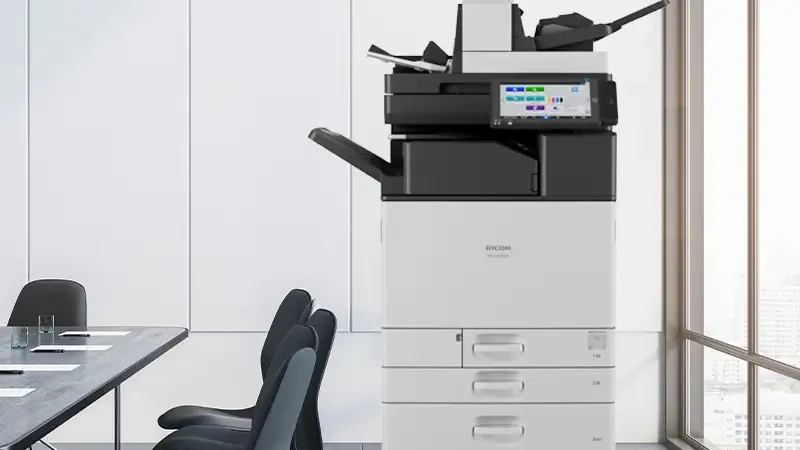
IM C3510SD tells you the generation, whether it prints colour, roughly how fast it runs and what is bolted to it. Once you can read one model code you can read the whole range.
A new laptop, a Windows update or a new starter in the team, and suddenly someone needs "the Ricoh driver". Searching for it turns up dozens of download sites. Only one source should be trusted: Ricoh's own support site, or the supplier who installed your machine.
The short version: find your exact model name on the machine, download the driver from Ricoh's support site for your operating system, and keep drivers up to date. Ricoh has said some driver security issues can only be fixed by updating the driver.
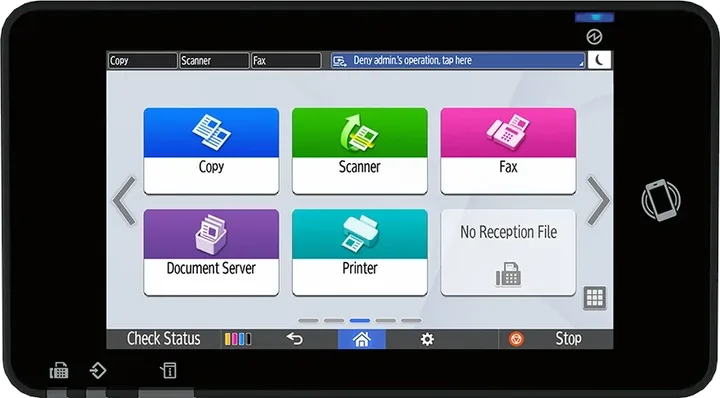
The model is printed on the front of the machine and shown on the operation panel, for example IM C3010 or IM C320F. The letters and digits matter: an IM C3010 and an IM C3000 are different models with different driver pages. If the names confuse you, see Ricoh model numbers explained.
For a network installation you also need the machine's IP address. Your IT team or supplier will have it, or it can be shown on the machine's network settings screen.
Ricoh publishes drivers model by model on its support site, support.ricoh.com. On a model's page you choose your operating system and the page lists the drivers and utilities available for it. For example, the IM C3000 page lists drivers by operating system alongside Ricoh tools such as Device Manager NX and Printer Driver Packager NX.
Third-party driver download sites repackage files from many manufacturers. There is no way to know what has been changed, so don't use them on business computers.
Select your macOS version on the same Ricoh model page and download the driver listed for it. Install the package, then add the printer in System Settings > Printers & Scanners, choosing the Ricoh driver rather than a generic one if you need finishing options or user codes.
Microsoft is phasing out the way manufacturers' printer drivers have been delivered through Windows Update. Its published timeline for Windows 11 and Windows Server 2025:
| Date | What Microsoft says happens |
|---|---|
| 15 January 2026 | No new printer drivers published to Windows Update. Existing ones can be updated only case by case. |
| 1 July 2026 | Windows ranks its built-in IPP class driver first when choosing a driver. |
| 1 July 2027 | Apart from security fixes, third-party printer driver updates are no longer allowed. |
What this means in practice:
In 2020 Ricoh published a security notice about a vulnerability in some of its printer drivers and said it could only be fully fixed by updating the driver. A driver installed years ago and never touched is worth checking. IT teams managing many computers can use Ricoh's tools to package and deploy one approved driver rather than letting each user install their own.
If you bought or lease your Ricoh from Gtech FZE, ask us for the right driver for your model and operating system, or for help setting up a new computer. See Ricoh service and support in Dubai or contact us.
Checked against Ricoh's and Microsoft's published pages on 4 November 2026. Menus, driver names and timelines can change, so follow the instructions on Ricoh's page for your exact model and operating system. This article is general information published by Gtech FZE, not technical advice, and creates no obligation. Ricoh and Ricoh product names are trademarks of Ricoh Company, Ltd.; Windows and macOS belong to their respective owners. To the extent permitted by UAE law, Gtech FZE accepts no liability for decisions taken on the basis of this article.
From Ricoh's support site, support.ricoh.com. Find your exact model, choose your operating system, and download the driver listed for it. Avoid third-party driver download sites on business computers.
PCL 6 is the usual choice for everyday office printing on Windows. PostScript, where offered, suits design and publishing work. Ricoh's PCL6 Universal Print Driver covers many Ricoh models with one driver, which is useful for IT teams managing several machines.
No. Microsoft says existing printer drivers can still be installed and that Windows will continue to allow manufacturers' drivers from their own installation packages. Since January 2026 no new printer drivers are published to Windows Update, and since July 2026 Windows prefers its own IPP class driver for newly added printers, so check the options you need are available and install Ricoh's package if not.
Ricoh has published a security notice for some of its printer drivers saying the vulnerability could only be fully fixed by updating the driver. Updating also picks up fixes for newer operating systems.
We are an authorized Ricoh distributor holding stock at Jebel Ali, supporting installations across the UAE and exporting into the wider region. Tell us your volumes and we will tell you what fits.
IM C3510SD tells you the generation, whether it prints colour, roughly how fast it runs and what is bolted to it. Once you can read one model code you can read the whole range.
Scans, print jobs, address books and logs can sit on a multifunction printer's drive. What is stored, the security features to ask for, and what to do before a machine is returned, replaced or sold.
Contract end dates, the data on the old machine's drive, scan-to-email settings, user codes and toner stock. What to sort out before you replace your office copiers, whatever brand they are.